Mac productivity utility

Where Was I?

Save your workspace. Come back knowing what to do.

A native Mac app for side projects, deep work, and the awkward moment when your brain or your token budget runs out before the work does.

Version 0.1.0, build 22. Requires macOS 15 or later.

Where Was I? on Product Hunt
One workflow, start to return. Save the checkpoint, take a break, come back ready.
Where Was I quick save and resume view showing how to save a place and choose what to reopen
Save your place in seconds Choose what to reopen when you return, without rebuilding the whole workspace.

The pause is the problem

Most tools help you start. This helps you return.

When you stop mid-flow, the real cost is not closing the laptop. It is rebuilding the stack in your head later: what was open, what you decided, what was blocked, and what the very next move should be.
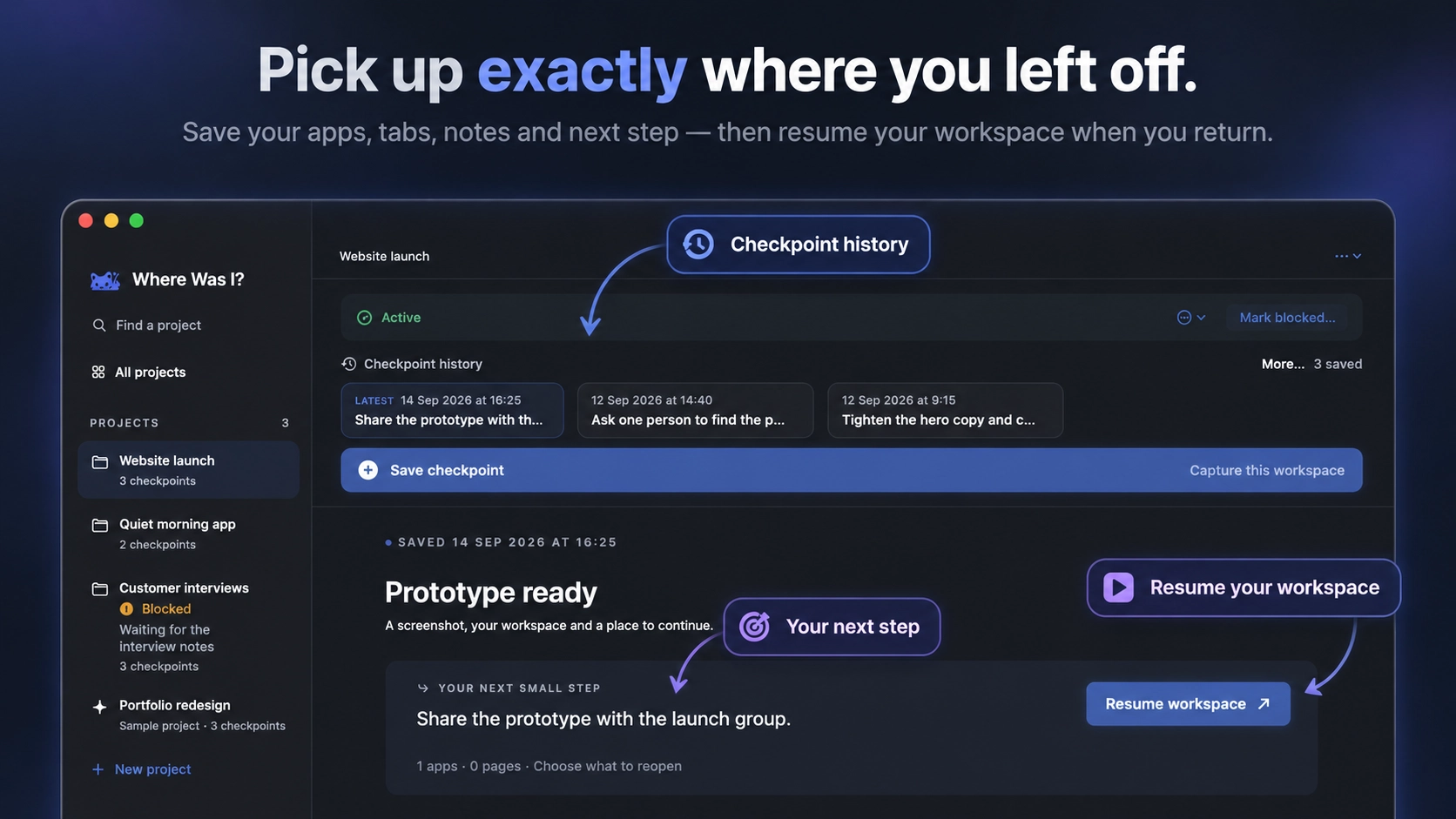
Where Was I checkpoint overview showing saved history, the next step, and resume workspace action
See the whole checkpointHistory, workspace context, and the next action stay together.
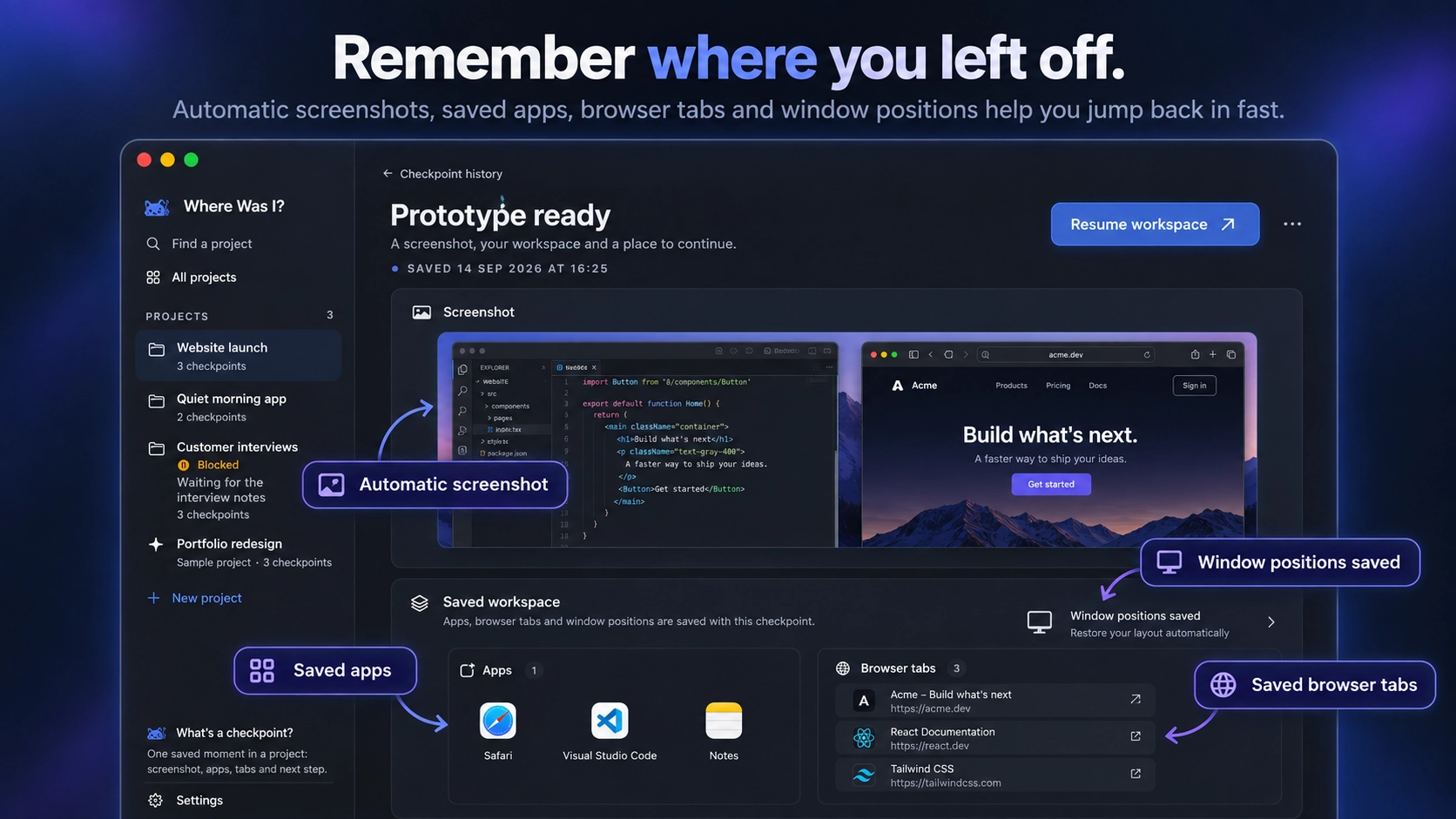
Where Was I saved workspace view showing a screenshot, saved apps, browser tabs, and window positions
Bring the workspace backSaved screenshots, apps, tabs, and window positions return with the work.
01

Start a session

Work normally while Where Was I? tracks the shape of the workspace you care about.

02

Save a checkpoint

Capture the screenshot, apps, browser tabs, context notes, and a next step in one local bundle.

03

Resume with context

Reopen what matters and land on a short return briefing instead of a cold start.

Built for interrupted work

Keep momentum even when the session has to stop.

Pick up where you left off

Save the visible state of the work, the apps involved, the useful sites, and the thought you do not want to reconstruct tomorrow.

Make side projects survivable

Keep half-finished ideas warm between evenings, weekends, client work, and life admin.

Take a break without guilt

When you have burned through your token budget or your attention budget, leave yourself a clean re-entry point.

Know before you reopen

Check what will open, what is already active, and what needs attention before you restore the workspace.

Different work, same problem

Whatever you’re trying to keep moving.

Where Was I? gives your projects a dependable way back, whether you’re switching between responsibilities or returning after a break.

Orange fox mascot pausing a coding session after reaching a limit
When the tokens run out

Save the thread before the session stops.

Orange fox mascots moving from a chaotic multitasking desk to an organised workspace
When everything is open

Keep the important work from getting lost in the noise.

Orange fox mascot returning to a focused study session
When study has to wait

Come back to the next small step after a break.

Orange fox mascot working calmly on a startup project at a desk
When you’re building something

Keep side projects warm between the rest of life.

One calm return path

Everything stays in context.

Save the project history, the current workspace, and only the apps and tabs you want to reopen.

Where Was I product overview showing project history, saved workspace context, and selective resume controls

Native Mac app

Local-first capture

Screenshots, apps, tabs, notes

Silent recording option

Mac download

Download Where Was I?

Version 0.1.0, build 22 for macOS 15 or later.

Where Was I? 0.1.0

ZIP download, build 22

Download for Mac

Stop losing the thread.

Where Was I? gives every pause a return path: the state, the context, and one next action.